Recorded Webinar

W-2 Form 2026 Updates: New Reporting Rules and Best Practices (Includes OBBBA CHANGES)

  • Date: February 13, 2026
  • Time: Available All Day
  • Duration: 60 Minutes

Description

RECORDED TRAINING COURSE


The IRS provides updates the W-2 and reporting each year, but in 2026 the One Big Beautiful Bill Act made significant changes to the W-2 and how we will report in 2026 This webinar will assist the seasoned and new payroll professional on how to properly report new items on the Form W-2 This webinar will also assist around W-2 processing to include W-2 to understand all the boxes on the form W-2 and what should be reported. A brief overview W-2 best practices will also be discussed.

Review of new W-2 reporting deadlines and penalties and updates to how we process the W-2 form.  Review of the new Form W-4.

Session Highlights:

  • Details of how to close the 2026 year to make sure your W-2’s are correct, and 941 reconciliation happens correctly.
  • Review box by box of the W-2
  • Most up to date legislation releases
  • New overtime and tip reporting on the form W-2
  • State specific W-2 reporting and what you need to know
  • W-2 Requirements
  • W-2 box by Box review
  • Updated legislation to consider for W-2 and 2026
  • State by State discussion of special W-2 considerations
  • Year End and W-2 best Practices

Why You Should Attend:

This session helps you quickly understand the new W-2 reporting changes under OBBBA for 2026, updated deadlines, state-specific rules, and key compliance requirements—so you can avoid errors, penalties, and stay fully compliant for year-end filing

Who Should Attend:

  • Payroll Professionals
  • Accounting Professionals
  • Tax Professionals
  • HR Professionals
  • Owners
  • Employee Benefit Professionals

Note: You will get access to the Recording link and E-Transcript; in your account and at your registered email address.
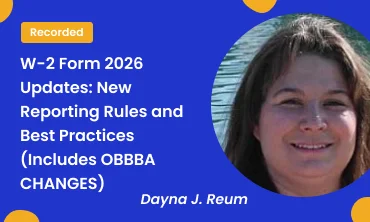
Dayna is currently the Payroll Tax Manager at PetSmart Inc. Dayna has been heavily involved in the payroll field over 15 years. Starting as a payroll clerk at a small Tucson company, Dayna moved on to be a Payroll Team Leader at Honeywell Inc.

1. What is a Difference Between Recorded and Download Course?

The difference between the Recorded Course and the Download Course is how attendees can access the content:

Recorded Course: Attendees can watch the recorded live sessions online at their convenience. They receive a link after purchasing, giving them lifetime access to stream the course, but they need an internet connection to view it.

Download Course: In this option, attendees can both stream the webinar online and download it for offline viewing. This gives them the flexibility to watch without an internet connection whenever they prefer

2. What is a Live Online Course/Webinar?

A live online course or webinar is a virtual conference held on the internet, attended by an online audience. It offers interactive features such as synchronized slides, Q&A sessions, chat, and polling.

3. What is a Recorded Course/Recorded Webinar?

The recorded training course captures live online sessions on related topics. Attendees can purchase it through our website, receiving a link to watch the recording at their convenience with lifetime access.

4. What is an E-Transcript?

An E-Transcript is a written PDF file containing a word-to-word recording of the presentation.

5. What is Download Course?

Download Course allows users to download the webinar for offline viewing without an internet connection.

6. What is the Registration Process for Live Online Training Course?


a) Online Registration:

    • Create a new account on Simplify Trainings.
    • Select the desired training course.
    • Fill in basic details in the checkout form.

After successful registration, attendees receive a confirmation email and instruction kit 1-2 days before the live online course.

b) Offline Registration:

7. What if I’m Unable to Attend the Live Online Training Course?

  • Registered attendees receive a recording link.
  • Those unable to attend live can purchase the recorded version for future viewing.

8. How Do I Access My Registered Live Online Training Course?

  • An instruction kit is sent to all attendees 2 days before the webinar.
  • Follow the instructions to join the webinar on time.

9. What If I Don’t Receive the Webinar Joining Kit?

10. Will I Receive Any Conference Materials?

  • Yes, an email with an attached PDF copy of all reference materials will be sent to all attendees related to the training course.

11. Can I Ask Questions to the Speaker During the Live Webinar?

  •  Certainly, a Q&A session is held at the end of the live webinar. The operator will guide attendees, and questions can be directed to our expert speaker.

12. What Are the Basic Requirements to Attend a Live Online Training Course?

  • A smartphone, computer, laptop, or iPad with a good internet connection is all that is needed. Dial-in details for audio and a live webinar link to view the presenter’s screen will be provided.

13. What Payment Options Are Available?

  •  We accept all types of credit cards, debit cards, and payments through PayPal Invoices. All transactions are secure, and no credit card information is stored.

14. Can I Pay via an Invoice?

  • Yes, we do accept payments via invoice. For more information and the complete process, email our customer support at “support@complymasters.com
W-2 Form 2026 Updates: New Reporting Rules and Best Practices (Includes OBBBA CHANGES)
OptionsPriceQuantity
Recorded$149.00
-
+
E-Transcript$129.00
-
+
Recorded+E-Transcript$199.00
-
+
Download Course$179.00
-
+